Lens for OPNsense
A calm front page for your firewall: who is on the network, what they did, and whether everything is all right — one sentence first, the reason for each area, the OPNsense page that fixes it.
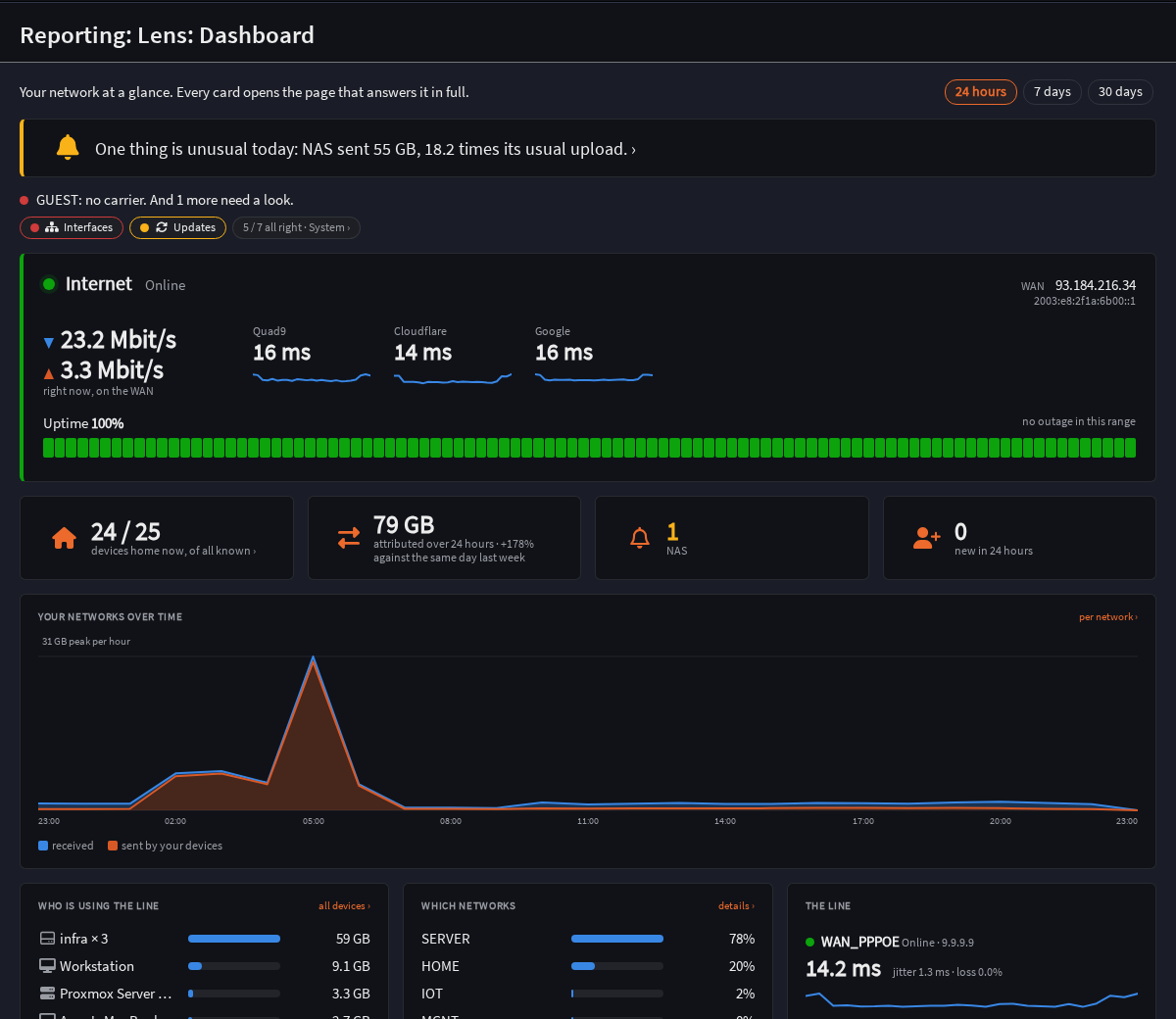
What it shows
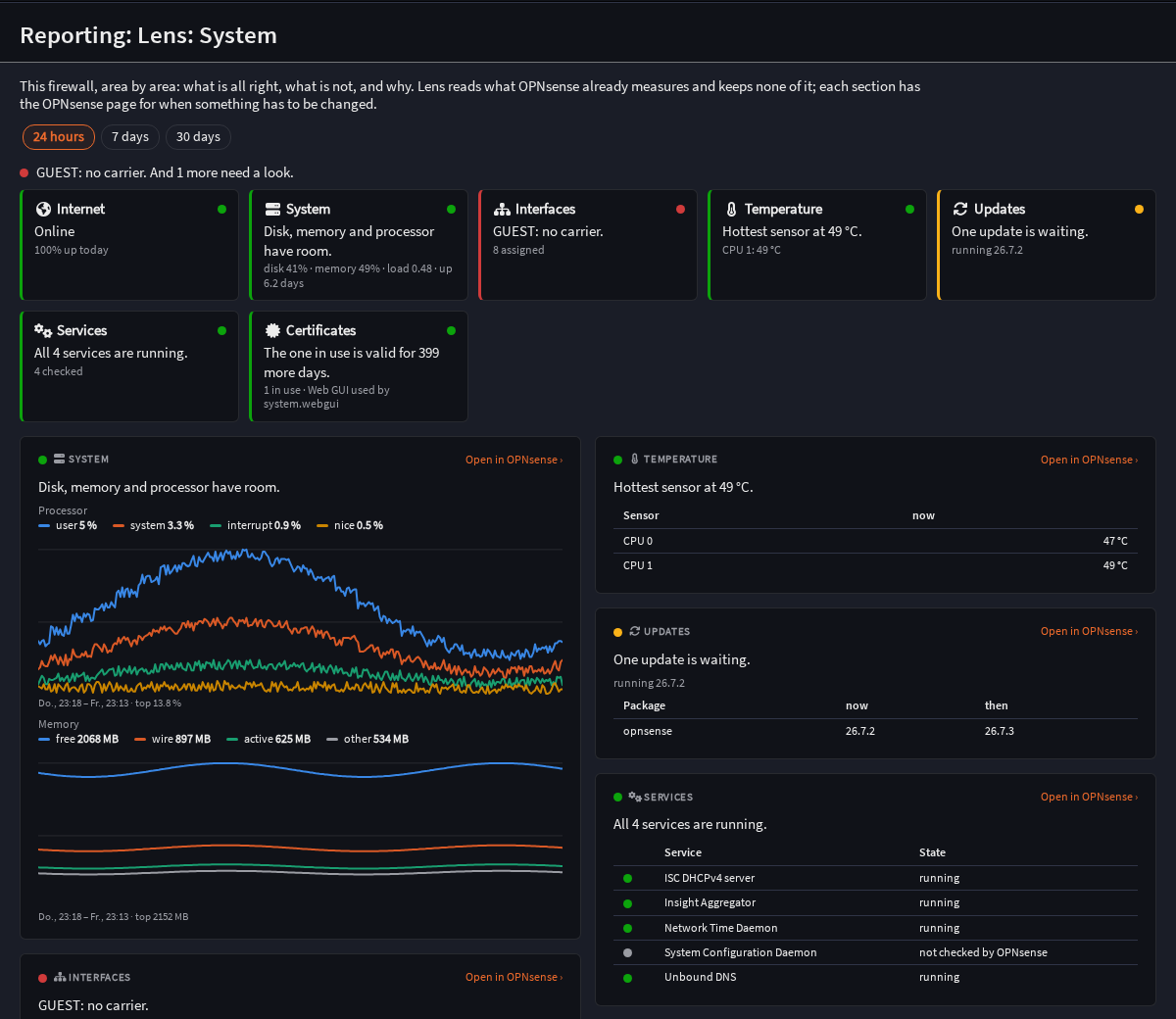
- System — internet, system, interfaces, temperature, updates, services, certificates, and DynDNS, SMART, WireGuard, NetBird, Tailscale where installed, each with its reason and history.
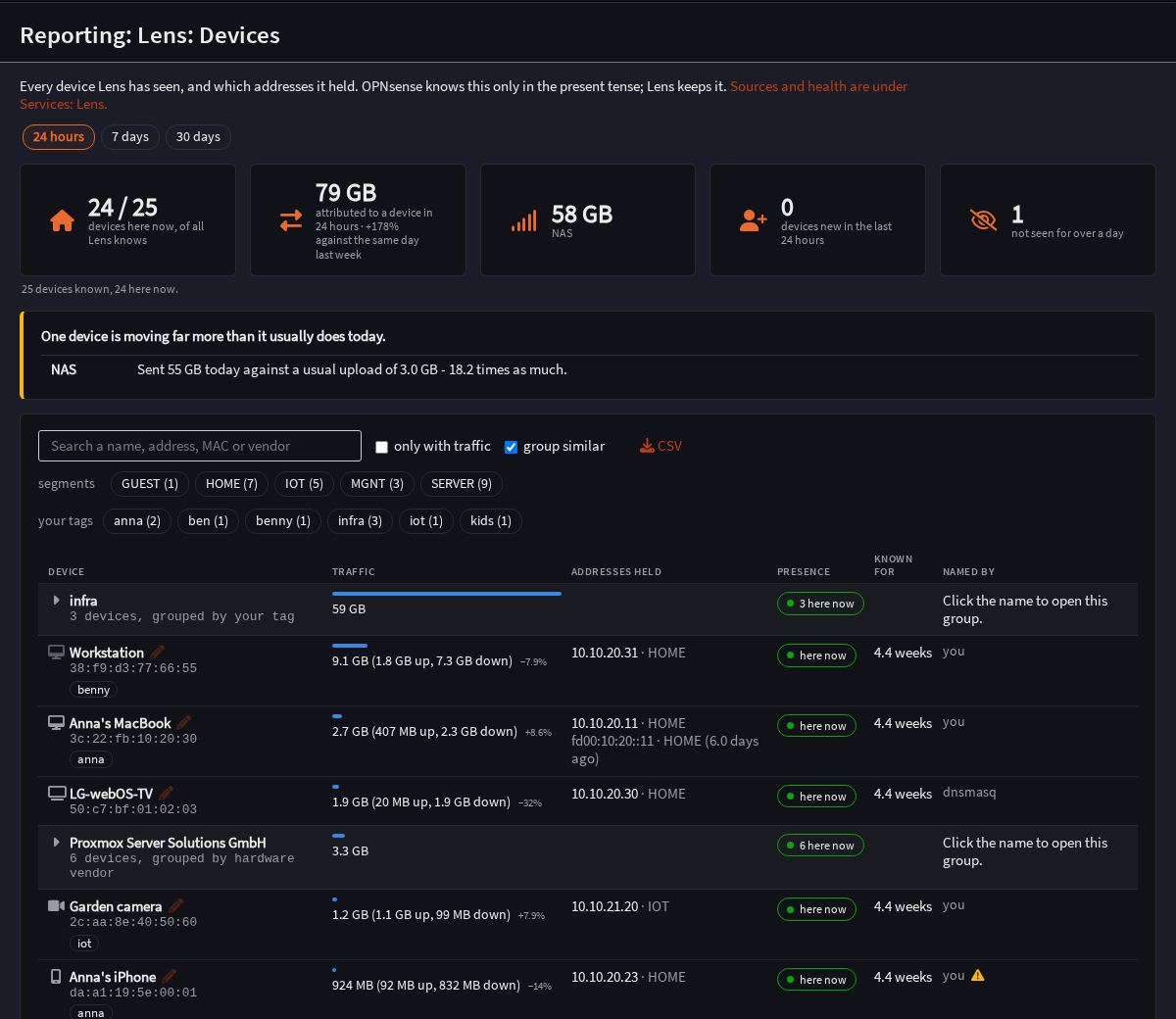
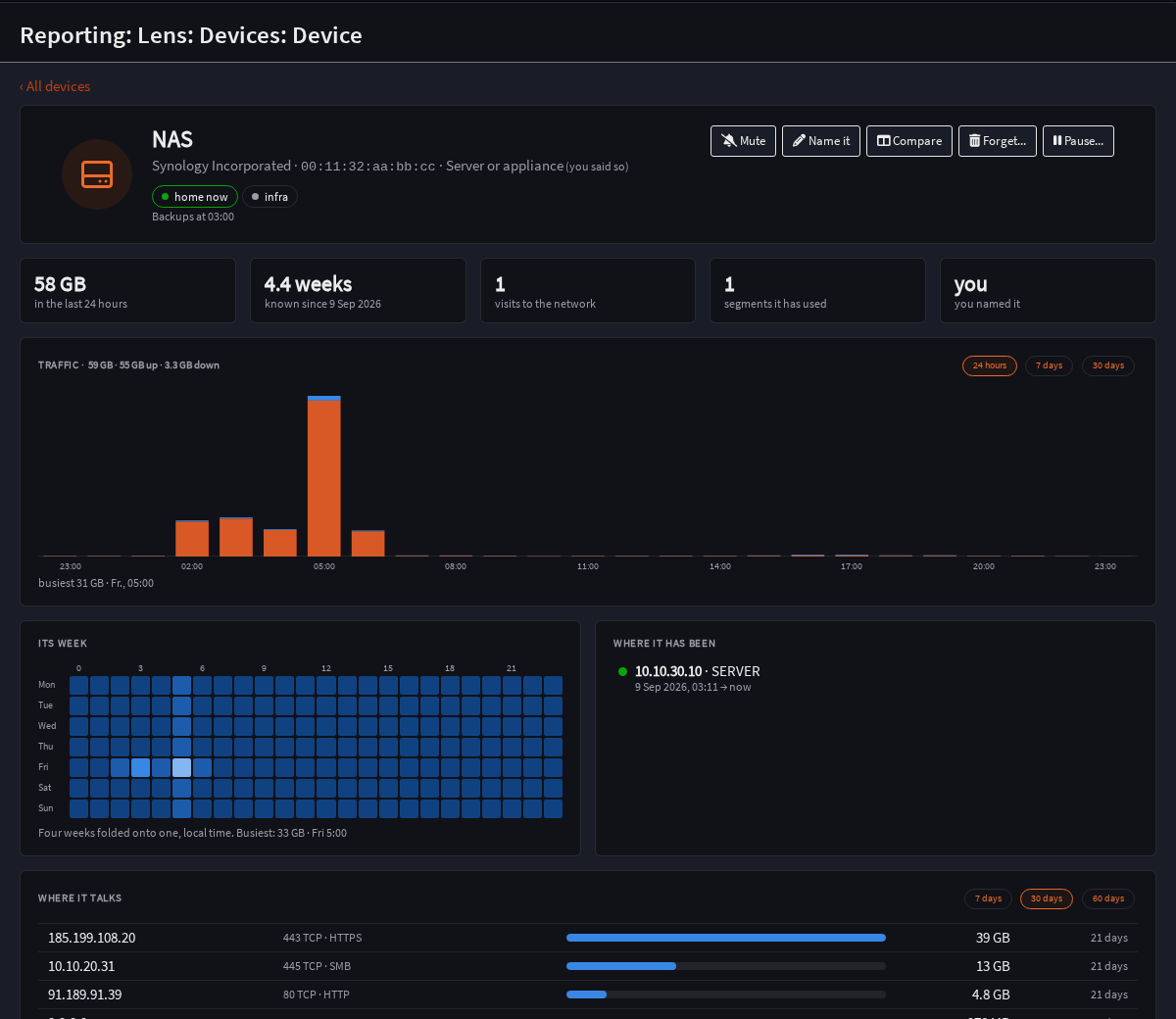
- Devices — every device with an identity that survives an address change: its traffic, its addresses over time, where it talks, what it looked up.
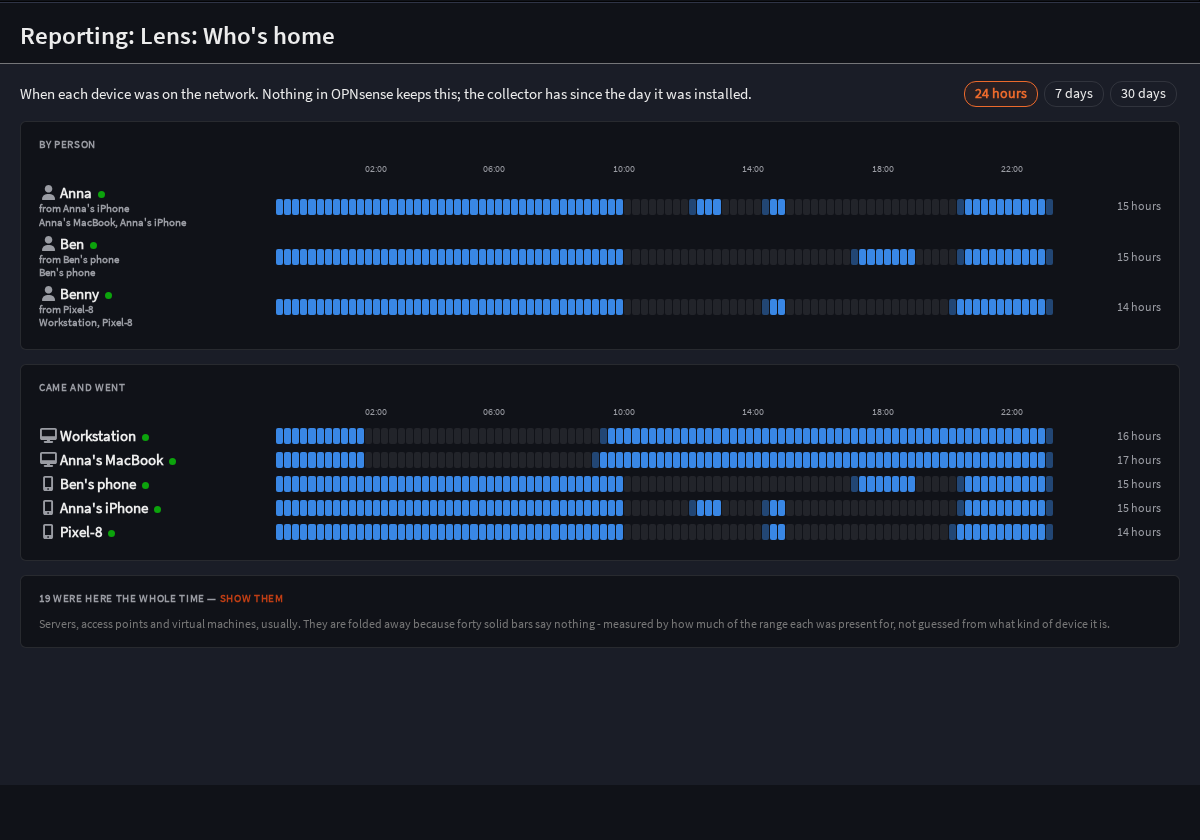
- Who's home, Networks with their ports, DNS by device and by service, Events, a weekly report and a wallboard; widgets for OPNsense's own dashboard.
- Pause a device until a time you choose, with a reason — the only thing Lens ever writes to the firewall, through OPNsense's own models, visible in Firewall: Rules.
Install, as root on the firewall
fetch -o - https://raw.githubusercontent.com/BxnnyG/opnsense-lens/master/tools/install.sh | sh
After that, updates arrive with System: Firmware: Updates like any other package.
Other things the script does
| sh -s update | update now |
| sh -s uninstall | remove the package and the feed, keep the data in /var/db/lens |
| sh -s uninstall --purge | the same, and delete the data |
| sh -s status | what is installed, and when the collector last ran |
What the feed is
A pkg repository signed with an RSA key. Its public half is in the repository, and the install script fetches it from there, not from this page: a key served beside the packages it vouches for would vouch for nothing.